
Build Drag & Drop Chatbot
Create Powerful Chatbots Without Writing Code
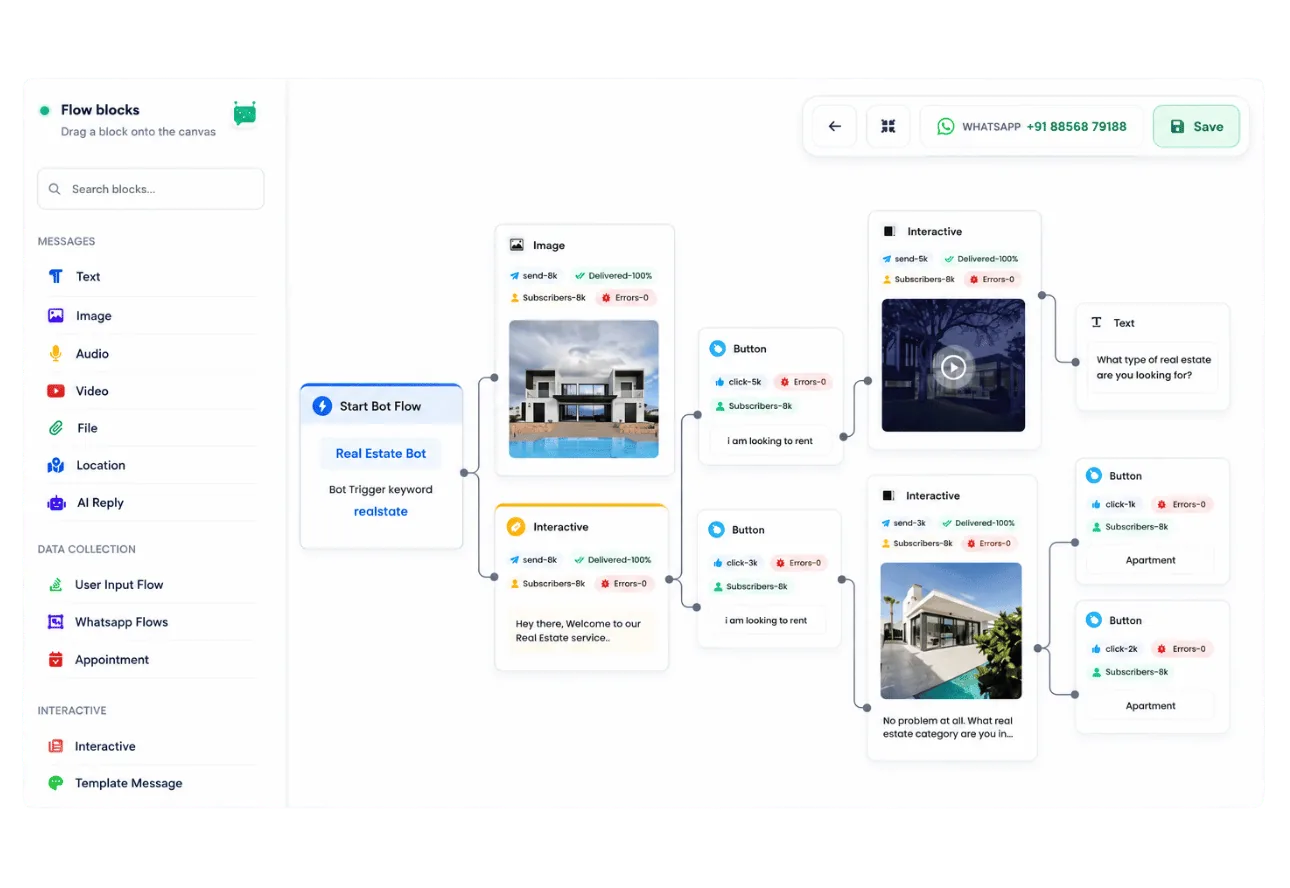
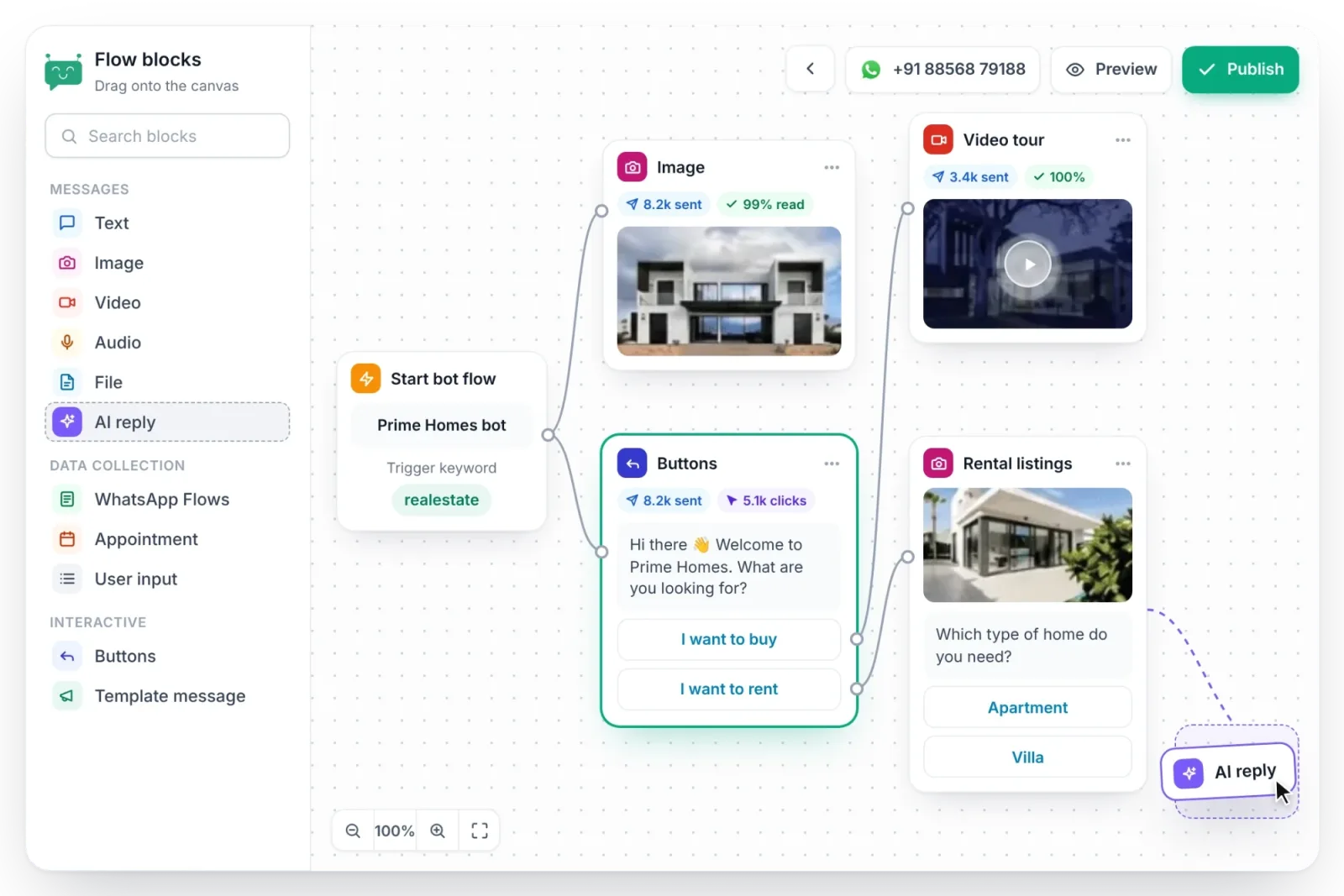
Create powerful chatbots visually without any coding. Botbiz Visual Drag and Drop Flow Builder provides a bird's eye view of your entire bot flow for building highly engaging conversational experiences.
See Build Drag & Drop Chatbot in Action
Watch how to use this feature step by step

Design Conversations with Drag & Drop
Build complex chatbot flows visually without writing a single line of code. Connect nodes, add conditions, and see your entire bot at a glance.
- Intuitive drag & drop canvas
- Visual node connections
- Zoom, pan, and auto-layout
- Real-time flow preview
Connect messages, choices, and actions on one visual canvas.
Collect Customer Info and Save It Automatically
Set up questions for your customers and instantly save their answers. Export responses to a sheet or send them directly to your CRM using webhooks—no manual entry required.
- Quick info collection with automated questions
- Easy export to Google Sheets for tracking
- Webhook integration for CRM sync
- Organized follow-up with saved customer data
- Full name
- Email address
- Phone number
Customer replies are saved to your CRM, Google Sheets, or webhook.
Automate Follow-Ups to Keep Conversations Going
Set up follow-up messages to reach customers at the right time, whether within 24 hours or after. Stay connected without needing to remember each step.
- Timed follow-ups sent automatically
- Stay engaged outside 24-hour window
- Hands-free reminders and updates
- Boost response rates with regular nudges
- Immediately
Thanks for your inquiry!
- After 1 hour
Just checking in — need any help?
- After 24 hours
Share a relevant offer
Keep the conversation going with timed messages.
Pull Customer Data Straight into Your Bot Flow
Easily use our API to fetch customer data from other tools and save it directly in Botbiz CRM. Your bot gets the latest info to personalize every interaction.
- Seamless data sync without manual steps
- Centralized records in Botbiz CRM
- Live updates for accurate responses
- Personalized bot replies with customer details
- 01Customer inquiry
The bot needs customer details
Connect external systems directly to your bot flow.
Automate Responses with ChatGPT-Powered AI
Let AI handle routine questions and replies with ease. Using ChatGPT, your bot provides accurate, friendly responses instantly, giving customers answers while saving you time.
- Instant AI responses keep customers engaged
- Consistent support for every customer
- Automate FAQs effortlessly
- Improved customer experience with smart AI
Returns: We offer 30-day easy returns. Just initiate from your order page.
Shipping: Yes! We ship to Delhi with free delivery on orders above ₹499. Expected delivery: 3-5 days.
What’s your return policy? Do you ship to Delhi?
Answer customer questions using your business information.
Tailor Replies with Smart Condition Checks
Set up condition checks in your bot flow to guide customers down the right path based on their answers. Send different replies or offer tailored options dynamically.
- Personalized paths based on customer choices
- Dynamic responses adjust in real-time
- Effortless filtering to right information
- Natural and responsive conversations
Use tags, order history, location, and other conditions to tailor the next step.
Key Benefits
Everything you need to succeed with Build Drag & Drop Chatbot
No Coding Required
Visual drag & drop interface for everyone
Bird's Eye View
See your entire bot flow at a glance
Pre-built Templates
Get started quickly with ready-made flows
Conditional Logic
Create smart branching conversations
Rich Media Support
Send images, videos, and documents
Quick Replies
Button templates for faster responses
User Variables
Store and use customer attributes
Test Before Deploy
Preview and test your chatbot instantly
Perfect For
See how businesses like yours use Build Drag & Drop Chatbot
"Botbiz has transformed how we engage with customers on WhatsApp. The build drag & drop chatbot feature alone has saved us countless hours."
Ready to Get Started?
Join thousands of businesses already using Build Drag & Drop Chatbot to grow with WhatsApp.
No credit card required • Setup in 5 minutes